Prescriptions
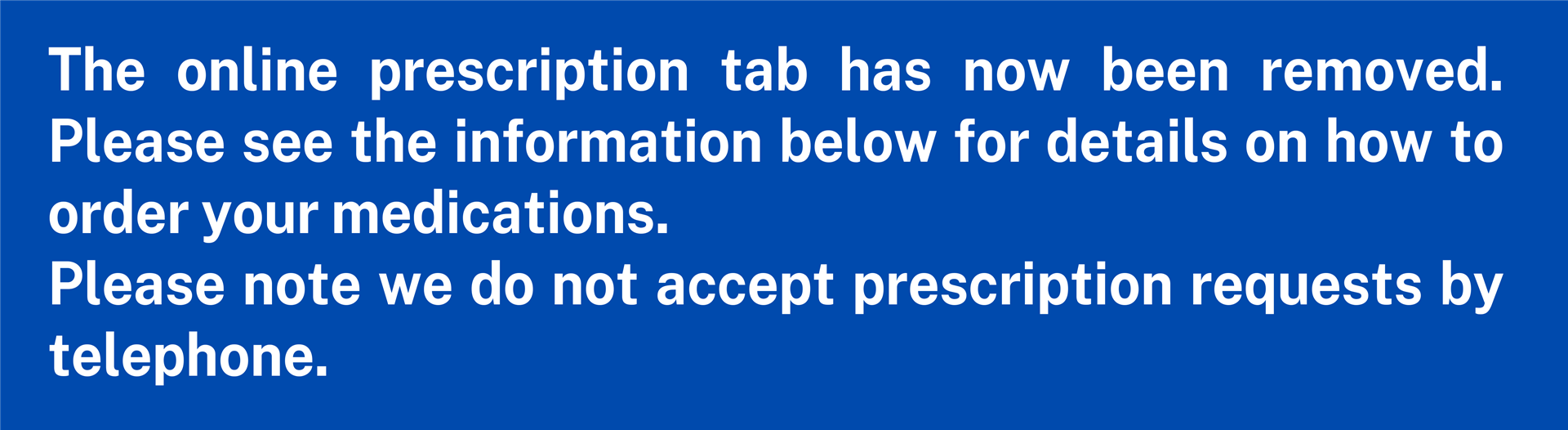
How to order online prescriptions
Patient Services is our new secure online system designed to make managing your prescription requests easier and more efficient.
Step 1: Complete the Online Request Form (see form below)
Step 2: Receive Your Registration Codes
Our team will verify your ID against our records. This can take up to 10 working days.
Once verified, you will receive a Registration Letter via email from noreply@myvisiononline.co.uk which contains two essential codes:
- Practice ID
- Linkage Key / Account ID
Note: Please check your Junk/Spam folder if you do not receive this email within the expected timeframe.
Step 3: Activate Your Account
Once you have your codes, you are ready to set up your login.
- Go to patient-services.co.uk
- Click “Register” (or “New to Patient Services?”).
- Enter your details: Input your Postcode and the Linkage Key and Practice ID we sent you.
- Create your login: Choose a username, password, and security questions.
That’s it! You are now logged in and can order medication immediately.
ACCOUNT REQUIREMENTS - PLEASE READ
- Each Patient Services account must have its own unique email address. This means the same email cannot be shared across multiple patient accounts.
This service is not available for patients who receive their medication in a dosette box or pill pack, as it is provided directly through the pharmacy. - Patients aged 12+ and over can have their own account if they have capacity to manage it.
- Children & Patients without capacity can be set up by a parent/carer to allow prescription requests to be managed on the patients behalf. When the child turns 16, we will be in touch to request their own individual email address.
PLEASE NOTE:
If you are already using Patient Services, there is no need to re-register.
If you are currently using your local pharmacy to order your prescriptions then you do not need to sign up to Patient Services.
If you need help or encounter any issues while setting up your account, please refer to the help document below for a detailed step-by-step guide.
Alternative ways to order your repeat medication
If you're unable to use the new Patient Services, repeat slips can still be handed in at the surgery or your local pharmacy.
Ways to Order Your Repeat Medication
· Via Your Pharmacy You can request your repeat prescription directly through your pharmacy. Please allow 5 working days before collecting your medication.
· Using Your Prescription Request Slip This slip can be found on the right-hand side of your printed prescription. Tick the medications you need and hand the slip in at the surgery during opening hours. (See our “Collecting Your Prescription” section for collection times.)
🚫 Please note: We do not accept prescription requests over the phone or via email. If you have run out of medication we recommend you speak to your local pharmacy, as they may be able to provide an emergency supply.
Collecting your prescription
- Online requests to the practice: Ready after 3 working days.
- Requests via a third party (e.g., pharmacy): Please allow 5 working days from the time the request is dropped off at the pharmacy. This accounts for the additional time needed for the pharmacy to submit the request and collect the prescription once it’s been processed and signed.
Please order in good time—patients are responsible for managing their own medication supply.
Questions about your prescription
If you have questions about your medicine, your local pharmacists can answer these. They can also answer questions on medicines you can buy without a prescription.
The NHS website has information on how your medicine works, how and when to take it, possible side effects and answers to your common questions.
- Go to medicines and medical aids (NHS Inform)
What to do with old medicines
Take it to the pharmacy you got it from or bring it in to the surgery. Do not put it in your household bin or flush it down the toilet.
About pharmacists
As qualified healthcare professionals, pharmacists can offer advice on minor illnesses such as:
- coughs
- colds
- sore throats
- tummy trouble
- aches and pains
They can also advise on medicine that you can buy without a prescription.
Many pharmacies are open until late and at weekends. You do not need an appointment.
Most pharmacies have a private consultation room where you can discuss issues with pharmacy staff without being overheard.
Sharps boxes - update on collecting new and returning used to Pharmacies
As from May 2025 you can now collect a new sharps box from your local pharmacy without the need for a prescription from the GP. You can also return your used sharps box to your local pharmacy. Boots do not currently issue new sharps boxes or accept used sharps boxes. If you use Boots as your regular pharmacy you can take your sharps box to a different pharmacy to be disposed of.
Please note – Sharps bins must not be overfilled and must be sealed, otherwise the pharmacy / service cannot accept the bin. Please also ensure that your details (including CHI number) are on the bin.
Page created: 15 October 2026